
 Timeglass

Each Monday, we look back at the changes we shipped the week before. If something in your day is harder than it should be, let us know through Contact Support in Timeglass. Those conversations help us choose what to build.
Last week, we added a way to turn a spoken or typed account of your day into draft time entries. We also made it easier to restore activity categories, understand exported time, move between date ranges, and create projects for the whole workspace.
Tell Timeglass what you worked on
Some work happens away from your screen. You might finish a client call on your phone, work through an idea on paper, or remember a few tasks that belong in your timesheet.
Dictate your day lets you describe that work in one go. Speak or type what you did, and Timeglass separates it into draft entries with suggested projects, clients, and activity categories. Review the suggestions, adjust the details, and add the entries you want to keep.
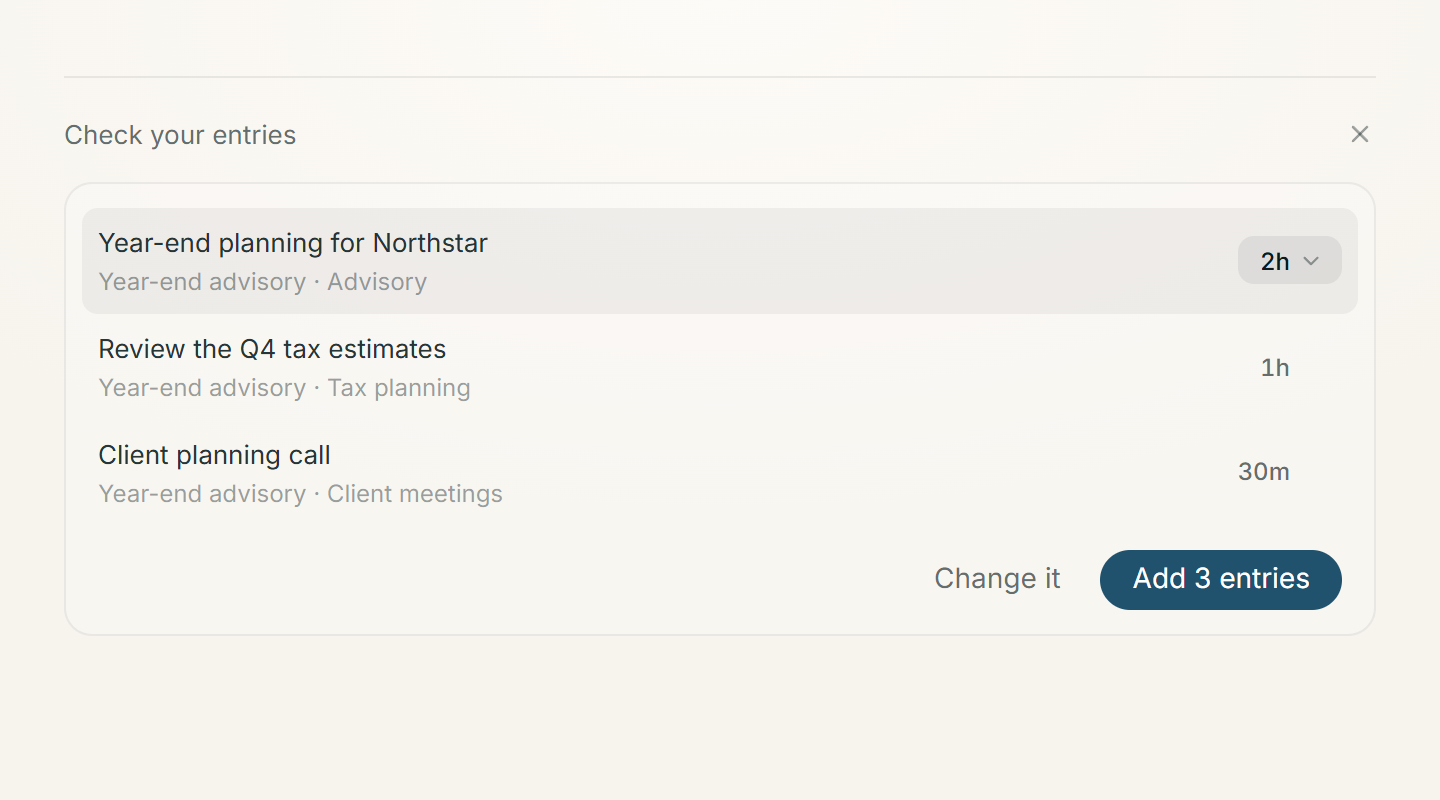
Include the time you spent when you know it: “Thirty minutes preparing the client meeting, then an hour reviewing the forecast.” If a duration is missing, Timeglass asks how long the task took before that entry can be added.
The feature is available in the Mac and Windows desktop apps. Click the Timeglass menu-bar or tray icon, then choose More and Dictate your day. You can also use the microphone beside Add entry on Home.
Bring an archived category back
An activity category you no longer needed last month may become useful again. You can now find it and bring it back without creating a replacement.
Open Activity categories and turn on Show archived. Archived categories appear beside your active ones, with their existing groups intact. Admins can restore them so they’re available for new entries again; everyone else can view them.
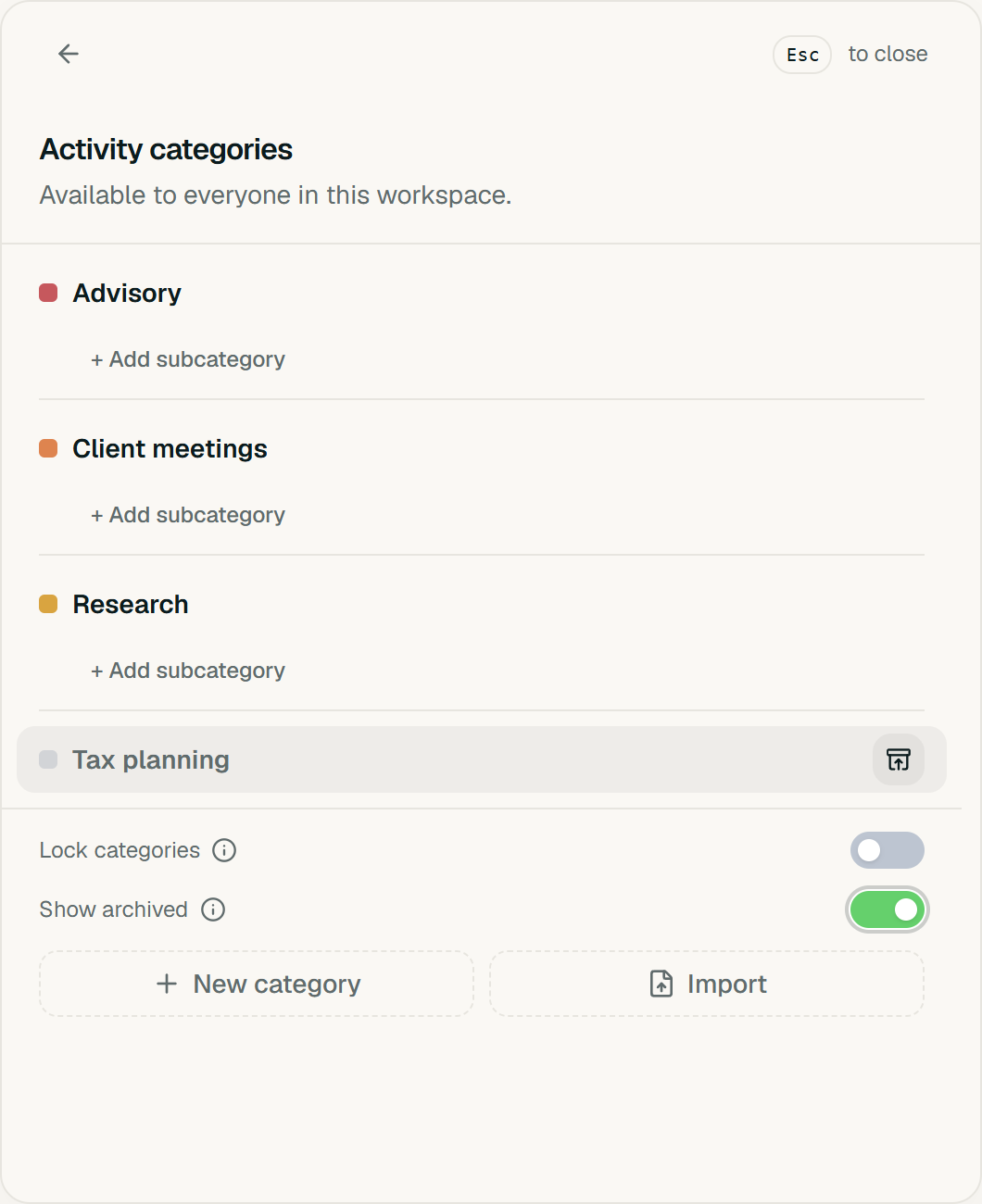
Past time keeps its original category. If you’re restoring a subcategory whose parent is also archived, restore the parent first.
See where exported time stands
When you’re preparing time for billing or review, the hours alone don’t tell you whether an entry has been submitted or checked.
The export column picker now includes Entry Status, Submitted At, Reviewed At, and Updated At. Add the fields you need alongside the work itself, using the same access permissions as your existing exports.
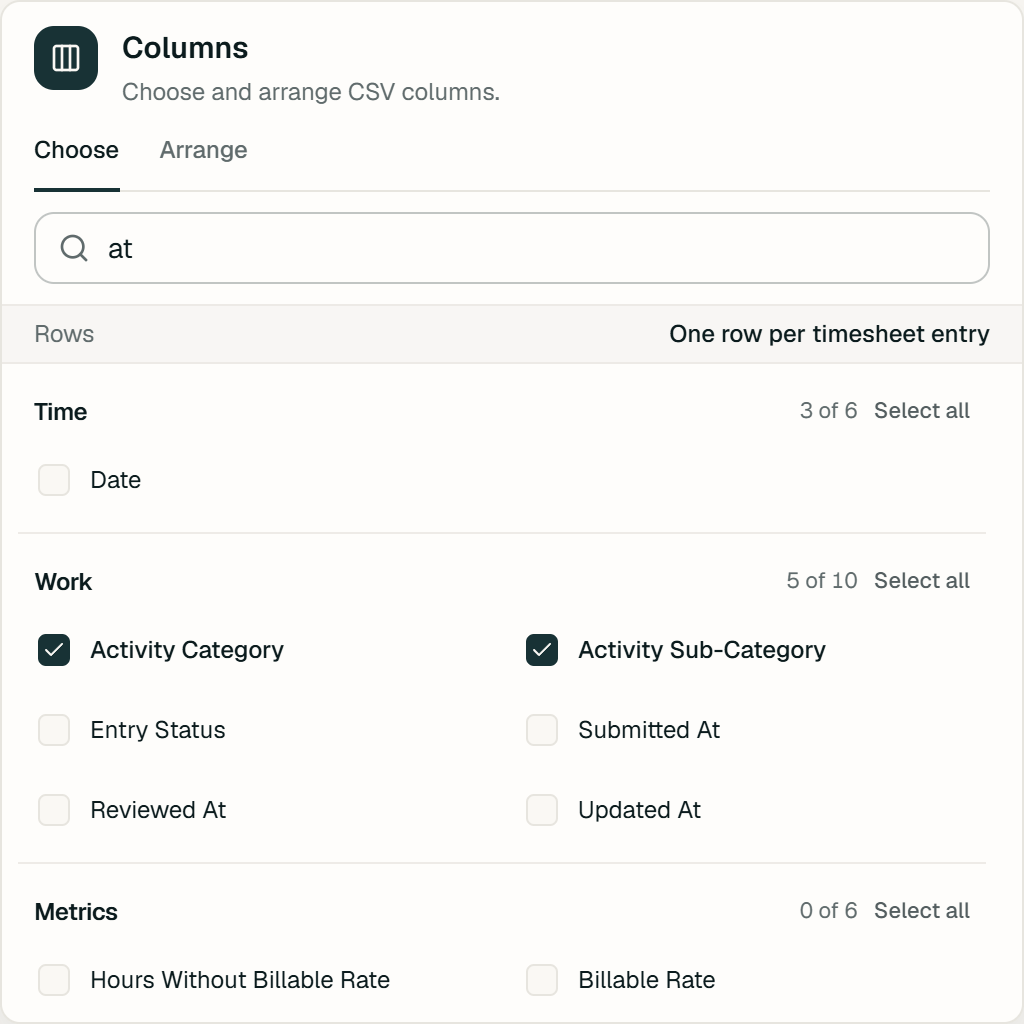
We also fixed totals in large exports. Exports with more than 3,000 entries now include all matching entries in their summary calculations.
Move between a week, a month, and a quarter
The Week, Month, and Quarter controls on Activities now match the Timesheets view. Switch the scale without losing the date you’re looking at, then use This week, This month, or This quarter to return to the current period.
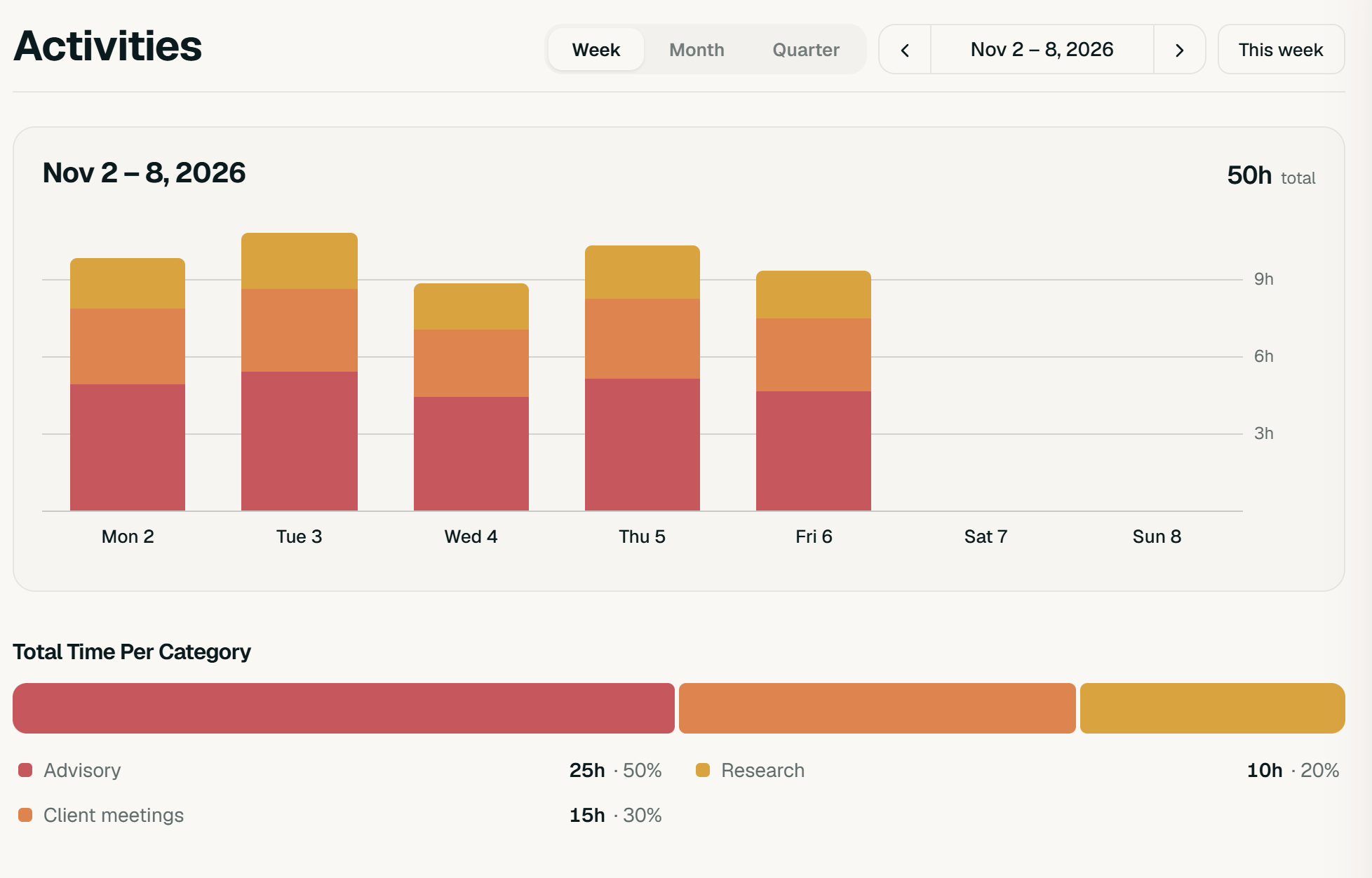
We also gave activity details more room on narrower desktop windows. The detail panel floats over the page when opening it alongside the list would leave too little space to read your work.
Create a project for the whole workspace
Some projects belong to one team. Others are shared across the business.
If you have permission to manage projects and clients, you can now choose Team or Whole Workspace when creating a project. The choice is available from Projects and when you create a project while assigning time.
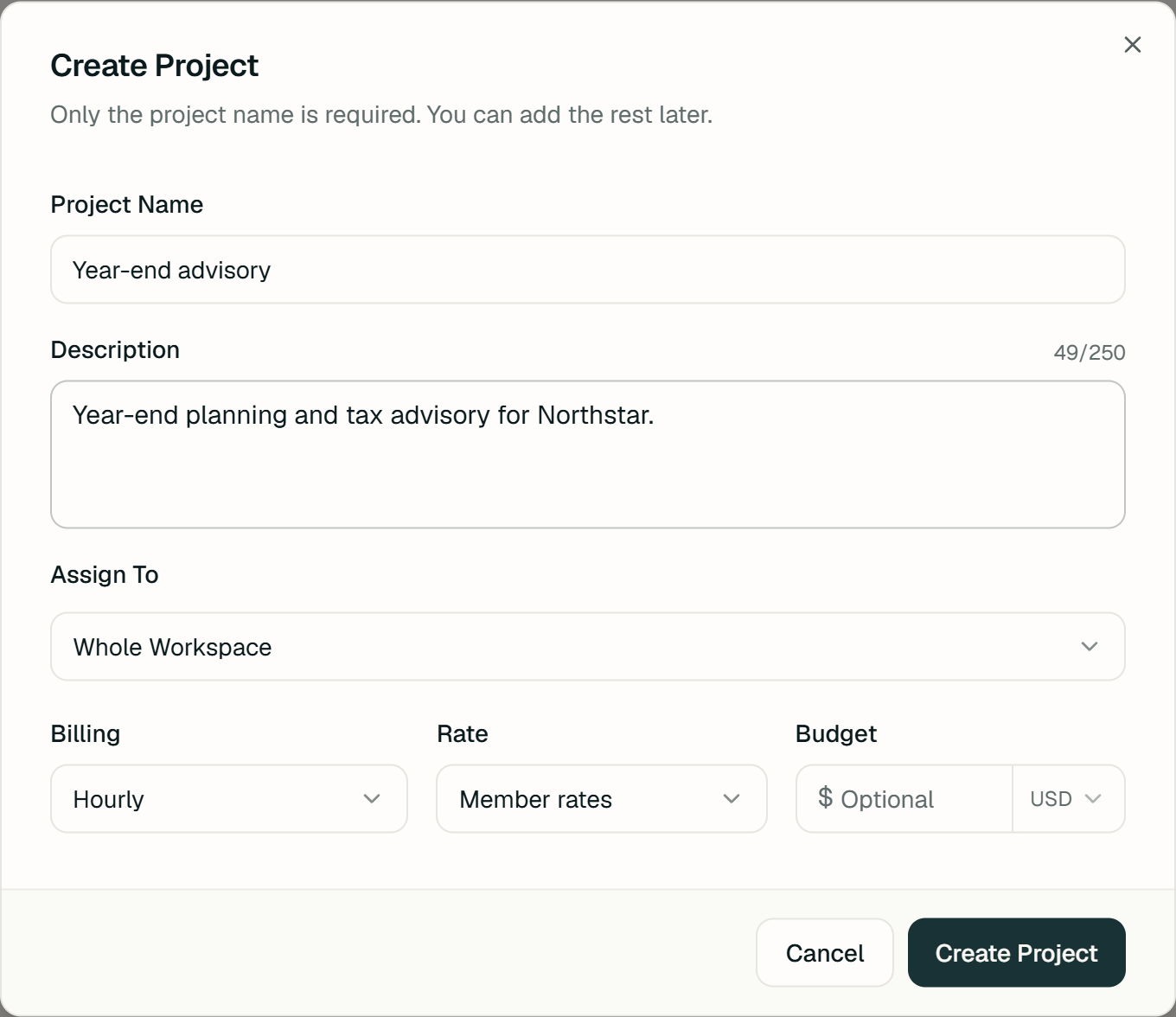
Timeglass remembers your last choice. Budget, rate, and time-target controls remain with workspace admins, so sharing a project doesn’t change who can manage its financial settings.