

Every Monday, we share what changed in Timeglass the week before. We’re a small team, and your ideas and frustrations help us decide what to build next. Use Contact Support in Timeglass to tell us what would make your work easier.
We built these imports to make it easier to move your existing records into Timeglass and keep them in one place. This week’s biggest additions bring across past meeting notes and project budgets and rates. We also added referral rewards and new desktop controls for recording and reviewing work.
Bring past meetings into the same place
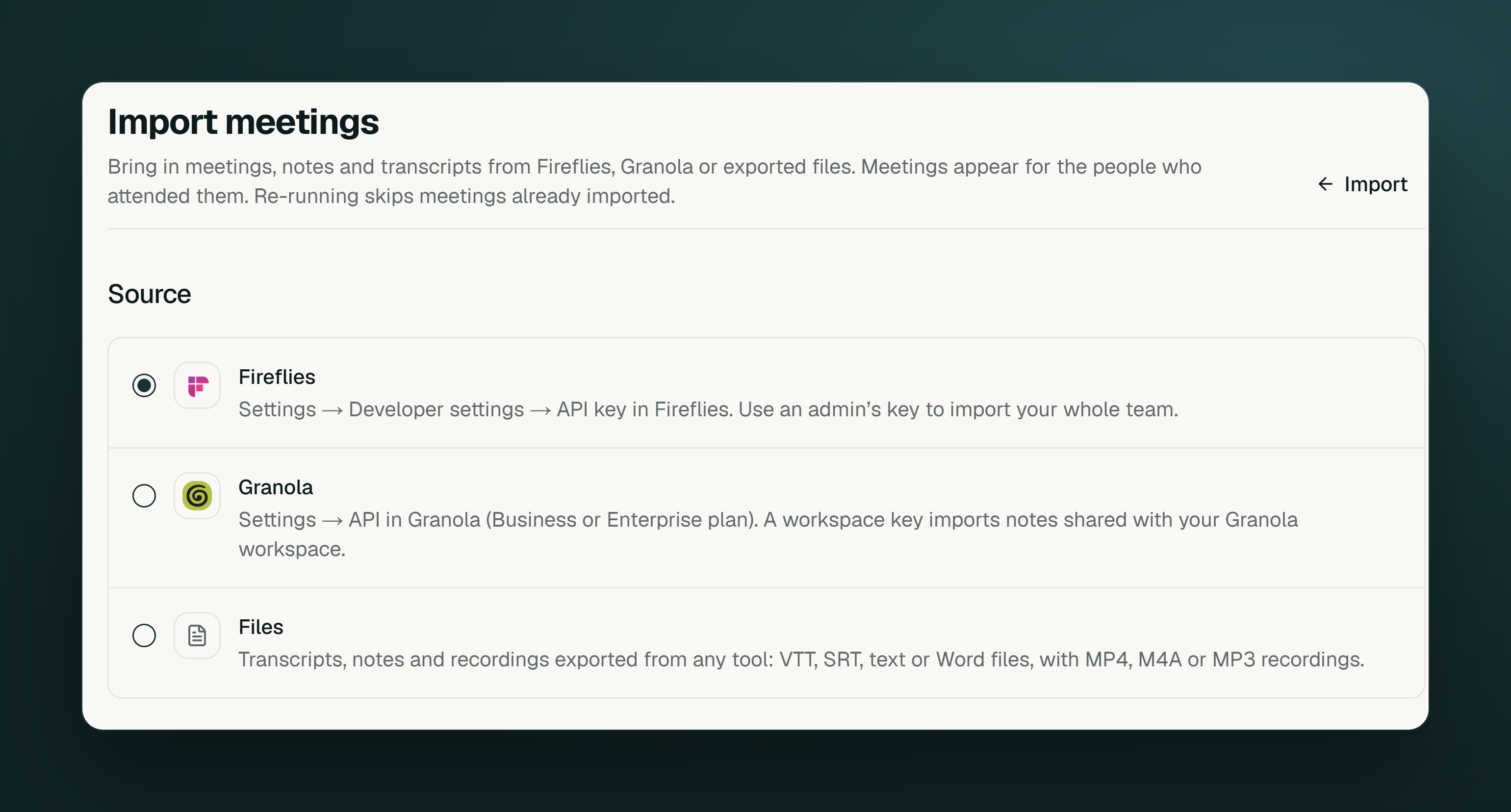
Switching meeting tools should let you keep the conversations you still refer to. You can now bring notes, summaries, and transcripts from Fireflies, Granola, or exported files into Timeglass. Imported meetings appear in the Meetings tab alongside meetings recorded in Timeglass, so you can go back to earlier conversations even if they happened before your team joined.
Workspace administrators will find the options under Settings → Import → Meetings. Connect Fireflies or Granola with an API key, or upload supported exports from another note taker. Granola requires Business or Enterprise API access. The content brought across depends on what the source tool or exported files contain.
You can follow an import’s progress and undo the meetings it added. Running the same import again skips meetings brought in before, so adding more history does not fill the list with copies.
Bring project budgets and rates with your import
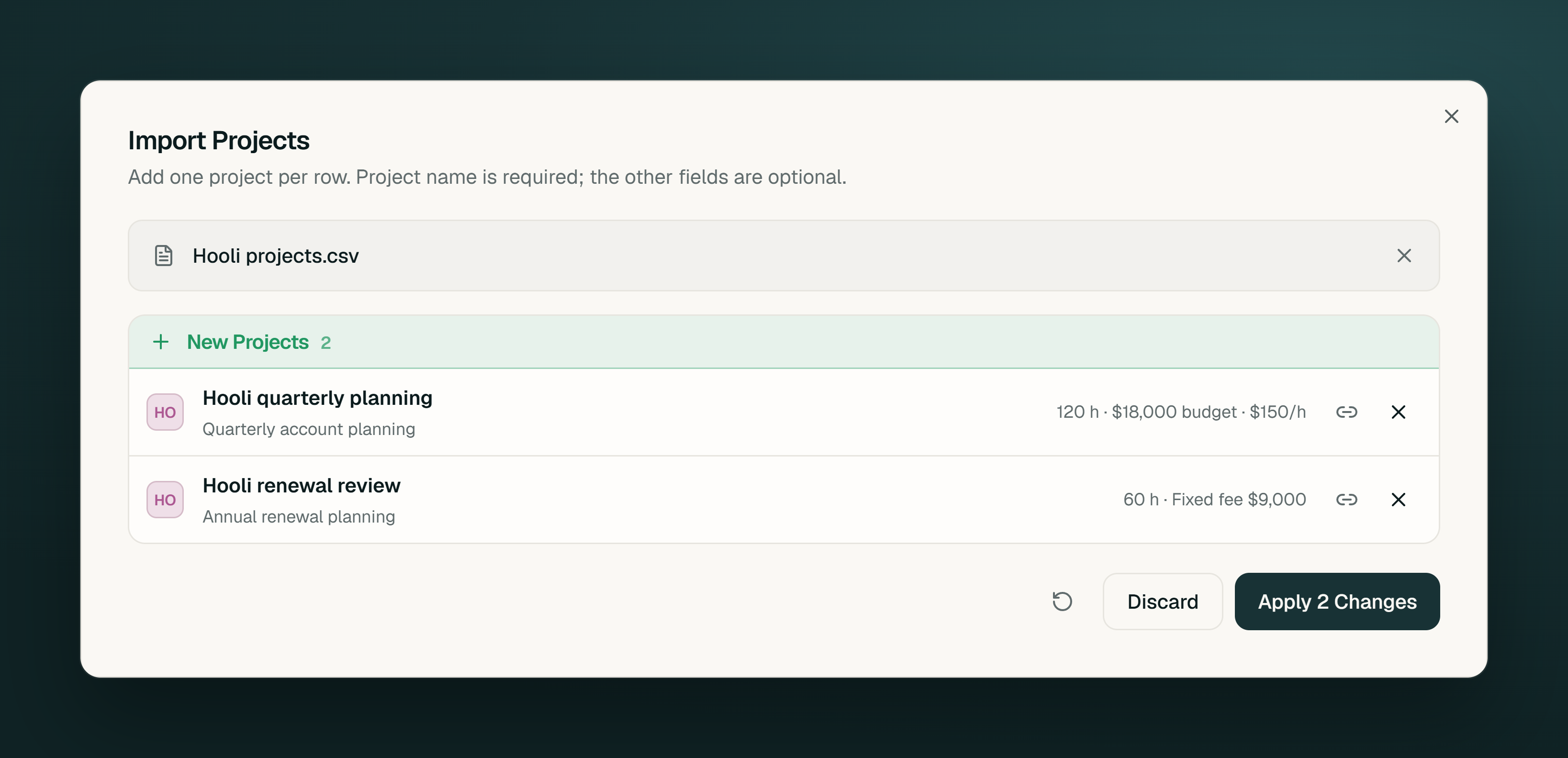
Moving active client work means bringing its agreed budgets and hourly rates with it. If your project details live in tools such as monday.com, Trello, or Harvest, you can use exported data or an AI assistant connected through Timeglass MCP to bring those details into Timeglass.
Check the financial details in the import preview before applying them. If you imported a project list earlier, you can import it again to fill in budgets and billing details without creating duplicate projects. Re-importing does not change existing hourly rates.
Project imports now read hours targets, money budgets, fixed fees, and billing types, with flat hourly rates for new projects. The Timeglass MCP connection also lets your assistant read and set project budgets, billing types, and project or client rates, subject to your financial permissions. Include the relevant amounts in the source data you export or give the assistant.
Share Timeglass and choose how you earn
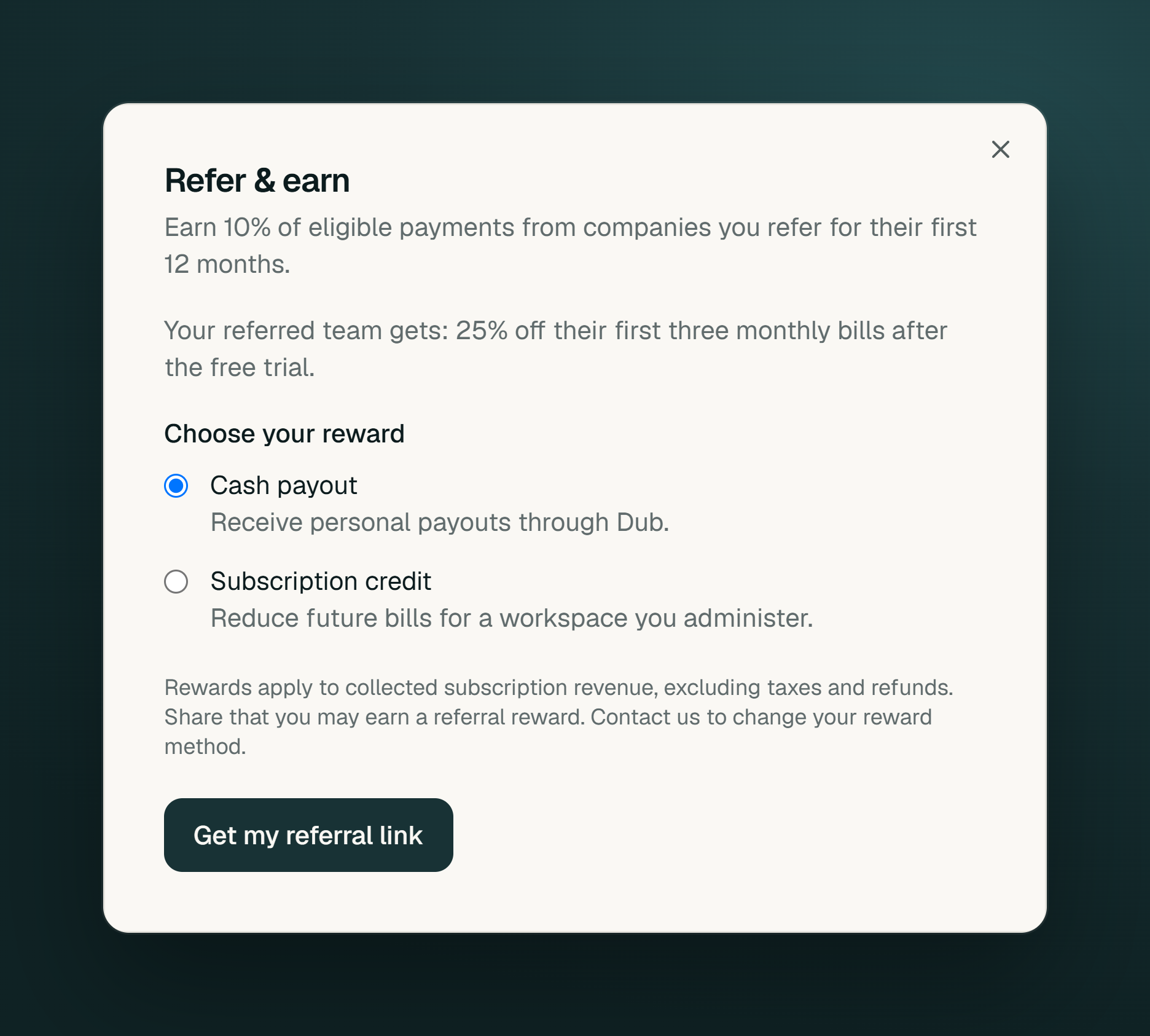
When another team asks what you use to keep track of work, you can now give them your own referral link. Open Refer & Earn in the sidebar and choose cash rewards or subscription credit.
You earn 10% of eligible subscription payments from a referred customer for their first 12 months. Eligible new teams who join through your link also receive 25% off their first three regular monthly Team bills after the free trial. The welcome discount applies to monthly Team plans; annual plans are excluded.
Pause a recording and review work your way
The desktop app now lets you pause a meeting recording and resume into the same meeting. You can leave a break out of the recording without splitting the conversation into separate meetings.
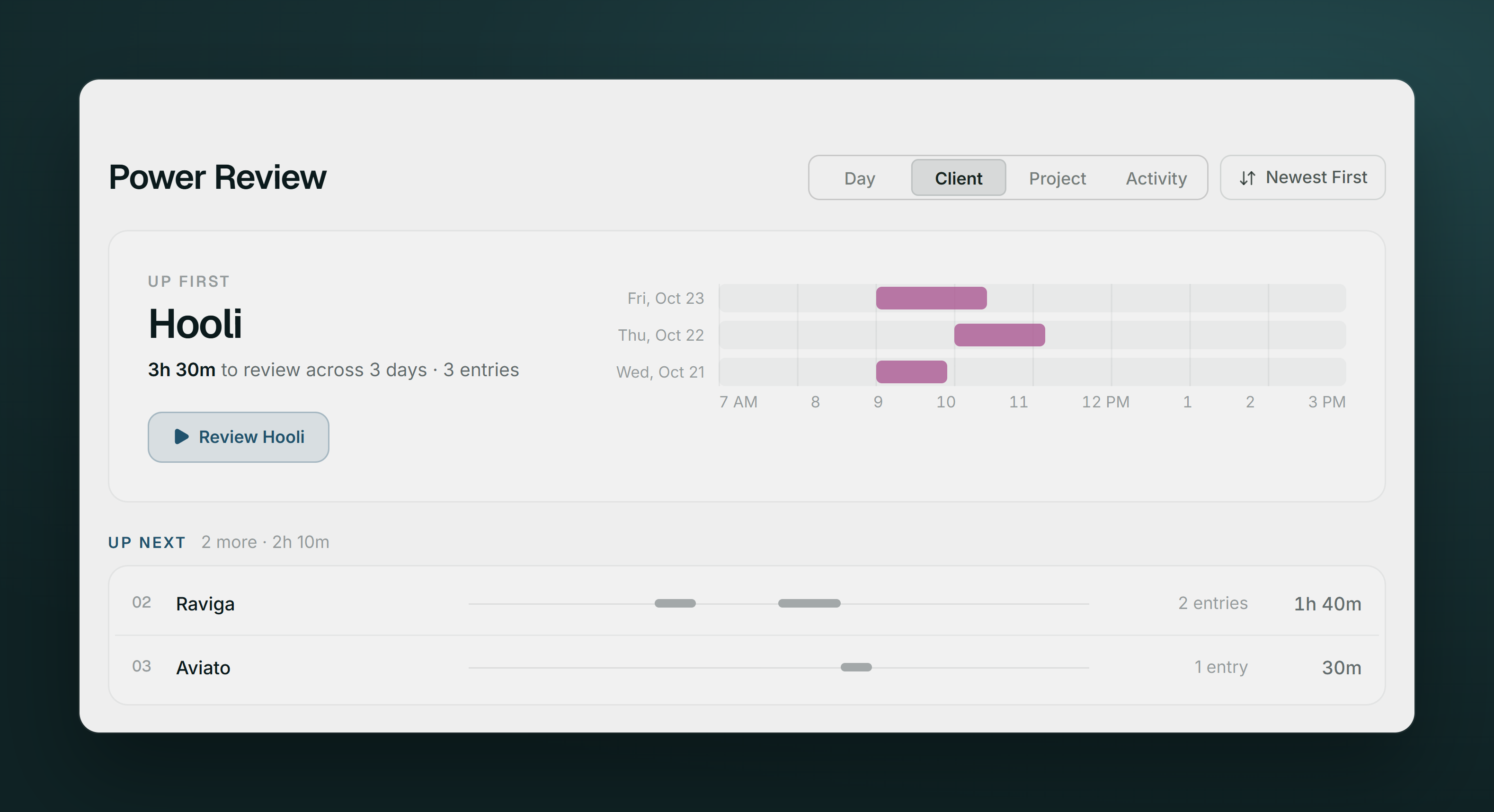
Changes to entry details are saved on your computer while you’re offline and sync when your connection returns. In Power Review, choose Client, Project, or Activity to work through one group at a time. Each day in Timesheets also has a Submit button beside Review.
Update to desktop version 2.1.2 to get these changes. Past weeks load in parallel, with the period you are viewing loading before the suggestions based on your usual work.